
Download Music Keyboard APK – Free Android Music Tool, Audio Utility, MIDI Keyboard
Overview
Music Keyboard is a free Android application developed by Palmsoft Entertainment, designed to transform smartphones and tablets into accessible music-making tools. The software belongs to the Multimedia category, specifically under Audio utilities, and is tailored for users interested in creating melodies and exploring music composition without the need for physical instruments. It enables users to play musical notes by pressing keys on the touchscreen or an external keyboard, offering a simple interface for real-time music input.
The app supports MIDI output, allowing integration with external music production software, which expands its functionality for users engaged in digital audio work. It is suitable for beginners, hobbyists, and casual music creators who want a lightweight, portable way to experiment with melodies and basic composition. The program was released on April 3, 2017, and has been available on Android 4.3 and later versions since then.
While the developer has not provided detailed information on advanced features or professional use cases, the app serves as a functional entry point for mobile music creation.
Key Features & Capabilities
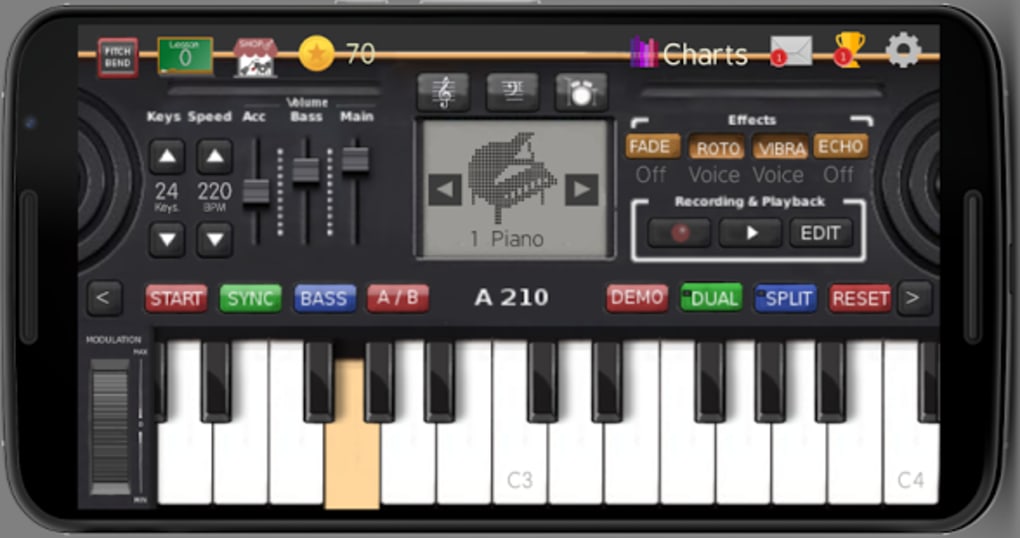
- On-Screen Keyboard Interface: Users can play musical notes by tapping keys on the touchscreen, mimicking a piano or keyboard layout for intuitive note input.
- External Keyboard Support: The app is compatible with physical keyboards connected via USB or Bluetooth, enabling a more traditional playing experience on Android devices.
- MIDI Output Functionality: Music Keyboard can send MIDI signals to other applications, allowing seamless integration with music production and sequencing software on Android.
- Simple Melody Creation: Designed for ease of use, the app allows users to compose short melodies and experiment with note sequences without requiring formal music theory knowledge.
- Lightweight Design: With a file size of 11.7 MB, the app is optimized for low-resource environments, making it accessible on a wide range of Android devices.
These features make the app ideal for users who want to explore music creation on the go. For example, a student learning basic music concepts can use the app to visualize note patterns, while a hobbyist might use it to sketch out song ideas during a commute. The MIDI output capability allows advanced users to route audio signals to other apps for further processing, enhancing the app’s utility beyond simple playback.
User Interface, Workflow & Performance
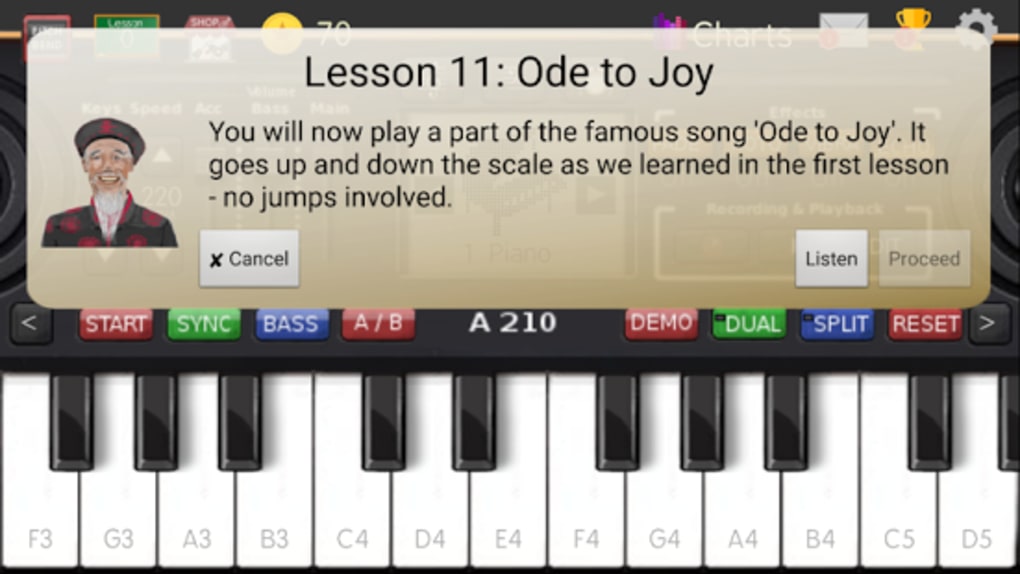
The user interface of Music Keyboard is minimal and focused on functionality. The layout centers around a standard keyboard or piano-style key display, with clearly labeled keys and a clean visual design. Navigation is straightforward—users simply tap keys to produce sound, with no complex menus or layered settings.
The workflow is intuitive: open the app, select a key range or octave, and begin playing. The app responds immediately to touch input, suggesting low-latency performance for basic use. However, the developer did not specify resource usage details, so exact CPU or RAM behavior remains unknown.
Stability appears consistent based on the app’s long-standing presence on Android devices since 2017. No performance benchmarks or user-reported crashes were included in the provided information. General software behavior patterns suggest the app operates efficiently within its intended scope, though users with older devices may experience slight delays during rapid note input.
Compatibility & System Requirements
Music Keyboard is designed to run on Android 4.3 and later versions, ensuring broad compatibility with a wide range of smartphones and tablets released since 2013. The installation file size is 11.7 MB, which is considered lightweight for a multimedia application. The developer did not provide additional system requirements, such as minimum RAM or processor specifications.
As a result, exact hardware compatibility details are limited. The app is available in English and supports both touchscreen and external keyboard input. It is important to note that while the app has been updated in the past, no recent updates have been released since 2017.
This may affect compatibility with newer Android versions or security standards over time.
Pros and Cons
Pros
- Free to download and use with no in-app purchases
- Lightweight installation at just 11.7 MB
- Supports both touchscreen and physical keyboard input
- Includes MIDI output for integration with music software
- Simple interface ideal for beginners and casual users
Cons
- Latest update was in 2017, raising concerns about long-term support
- No official information on performance optimization or device compatibility
- Limited features compared to modern music production apps
- Outdated design with no recent UI improvements
- May not function optimally on newer Android versions without updates
FAQ Section
Is Music Keyboard free to use?
Yes, Music Keyboard is available for free download and use. There are no in-app purchases or subscription fees mentioned in the provided information.
What Android versions does Music Keyboard support?
The app is compatible with Android 4.3 and later versions. It has been available on the platform since 2017.
Can I use a physical keyboard with Music Keyboard?
Yes, the app supports external keyboards connected via USB or Bluetooth, allowing users to play notes using a traditional keyboard layout.
Does Music Keyboard support MIDI output?
Yes, the application includes MIDI output functionality, enabling users to send musical data to other compatible music software on their Android device.
Is the app safe to download?
Music Keyboard is published by Palmsoft Entertainment and has been available since 2017. It has been downloaded 33 times through the provided source. The app is not known to contain malware, but users should always download from trusted sources to ensure security.
Final Thoughts
Music Keyboard offers a straightforward, no-frills approach to mobile music creation. Its lightweight design, free access, and MIDI output make it a practical tool for beginners and hobbyists who want to experiment with melodies without investing in hardware. While the app lacks modern features and has not been updated since 2017, it remains functional for basic use.
Users seeking a simple keyboard interface on Android will find value in its core functionality. However, those requiring advanced audio editing, sound customization, or compatibility with current Android systems may need to consider more up-to-date alternatives. For casual exploration of music, Music Keyboard delivers a reliable experience.
Download Music Keyboard now.





.png)

